
Turn Claude Cowork Into Your Personal COO 🧠
Most people are using the most powerful AI agent ever released to answer questions. Here's the framework that turns Claude Cowork into an operator that runs your work while you sleep 🚀

👋 Hey, Linas here! Welcome to another special issue of my daily newsletter. Each day, I focus on 3 stories that are making a difference in the financial technology space. Coupled with things worth watching & the most important money movements, it’s the only newsletter you need for all things when Finance meets Tech. If you’re reading this for the first time, it’s a brilliant opportunity to join a community of 370k+ FinTech leaders:
A full-time Chief Operating Officer costs $300,000 to $500,000 a year. Claude Cowork costs $20 a month. And unlike any human hire, it reads your entire filing cabinet before its first day, works through the night without losing quality, and spins up parallel workers when the job calls for it.
Cowork launched just on January 12, 2026. Within ~4 weeks, $285 billion in enterprise software market value had evaporated 😳 Thomson Reuters posted its worst trading day on record. LegalZoom crashed 20%. Jefferies traders coined the term SaaSpocalypse.
The selloff wasn’t panic. It was the market watching a $20 subscription do 40% of what $150-per-month enterprise seats do, and doing the math on where that number would be in six months.
But the headlines missed something much more important.
The real story isn’t what Cowork does to software companies. It’s what it does for you. Most people who’ve tried Cowork are still using it like a chatbot with folder access. They ask a question, get an answer, and do the work themselves. That captures maybe 10% of what the tool can deliver.
The people getting 10x the value have made a different mental shift entirely. They treat Cowork like a COO. They describe outcomes, hand off entire workflows, and come back to finished deliverables. They’ve stopped writing better prompts and started building better systems.
I’ve spent months testing every feature, every plugin, and every workflow pattern. Below is the complete framework, followed by 10 fully engineered prompts that turn Cowork into an operator that handles your content pipeline, financial reporting, competitive intelligence, team operations, and more.
All while you do something else.
What Cowork Actually Is (And Why It’s Different From Everything Else)
Before the framework, let’s be precise about what we’re working with. Cowork is not Claude chat with extra features. It’s a fundamentally different category of tool.
Claude Chat is a conversational AI. You type, it responds, you copy-paste the output somewhere useful. You are still the operator. Claude is your advisor.
Claude Cowork is an agentic AI. You describe an outcome. Cowork makes a plan, shows it to you, and executes every step autonomously, reading your files, creating documents, browsing the web, pulling live data from connected tools, and writing finished outputs directly to your computer. You are the director. Claude is the executor.
Cowork is built on the same agentic architecture as Claude Code, Anthropic’s terminal-based tool for developers. Where Claude Code gives an AI agent access to a codebase, Cowork gives it access to your work life. It runs inside the Claude Desktop app in a sandboxed virtual machine on your device. Your files stay local. Claude reads them, works on them, and writes outputs back to your folder.
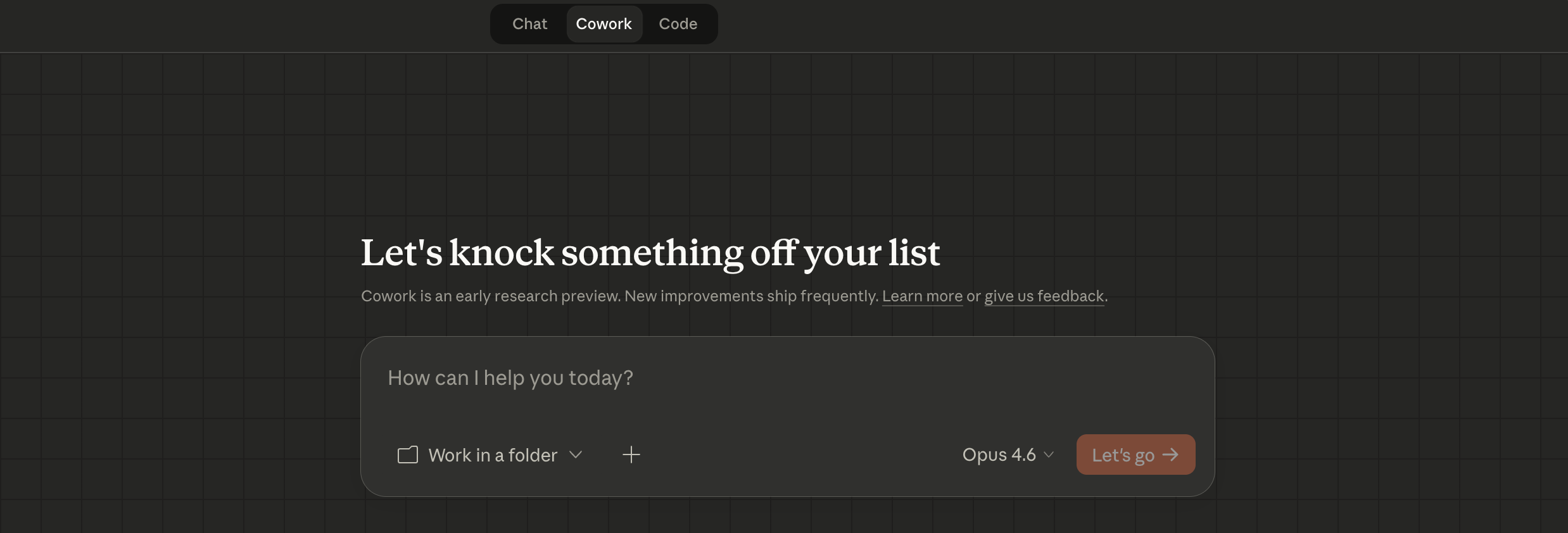
The key capabilities that make COO-level delegation possible:
→ File system access. Claude reads and writes to a folder on your computer. Not uploads and downloads. Direct read/write. It can reference last month’s report to match your formatting, pull data from an old spreadsheet to build this month’s, and apply your brand guidelines mid-task without you mentioning them.
→ Sub-agents. When a task has independent parts, Claude spins up parallel workers. Instead of processing ten documents sequentially in 50 minutes, it processes all ten simultaneously in 5 minutes, then synthesizes the results. You can explicitly request this for vendor comparisons, multi-perspective analysis, or large document sets.
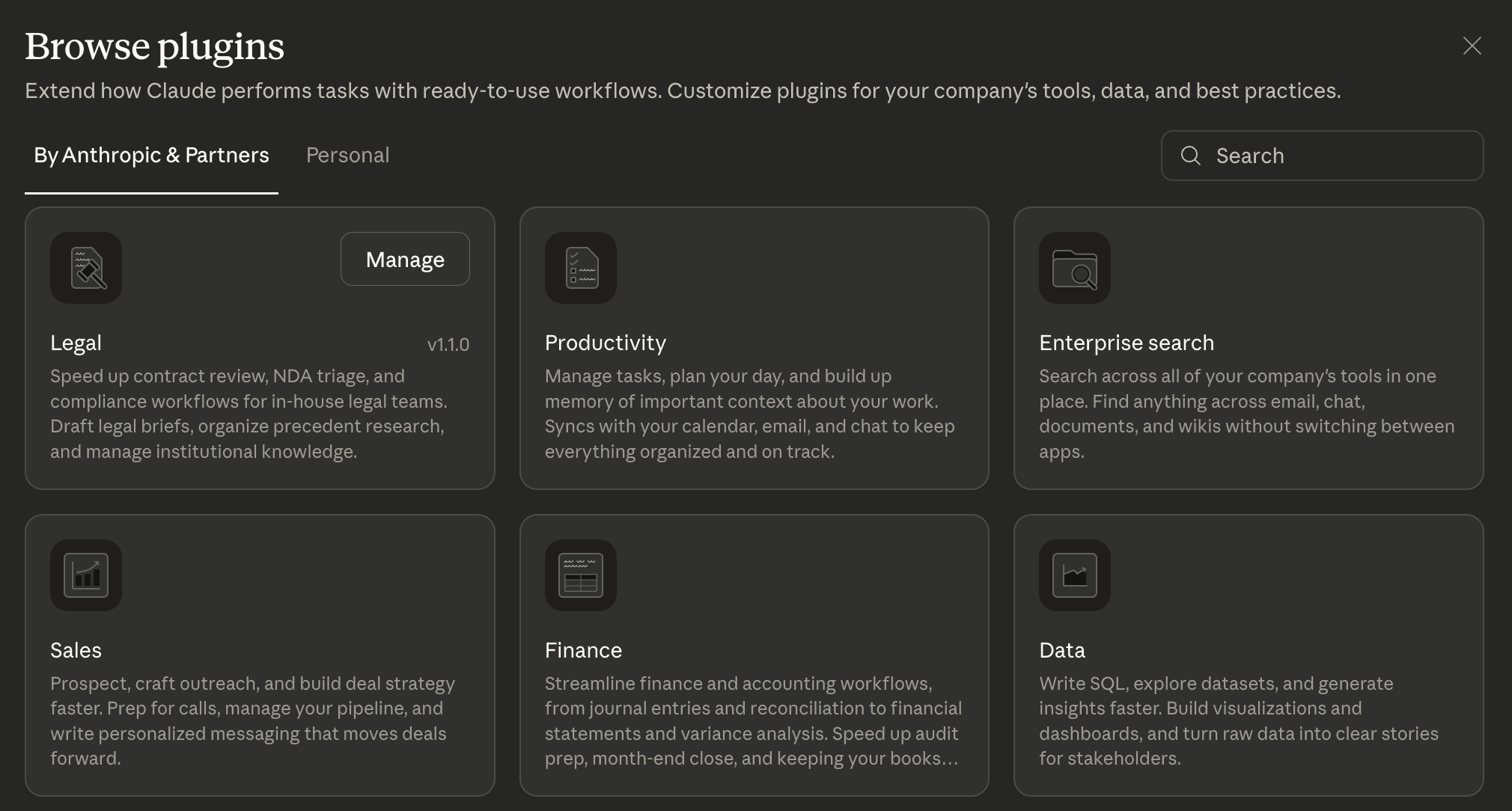
→ Plugins. Pre-built specialist packs that turn Claude from a generalist into a domain expert. Anthropic shipped 21 plugins covering Productivity, Marketing, Sales, Finance, Legal, Data Analysis, HR, Engineering, Design, Operations, and financial services verticals, including Investment Banking, Equity Research, Private Equity, and Wealth Management. Each plugin bundles skills, slash commands, connectors, and sub-agents tuned to a specific function.
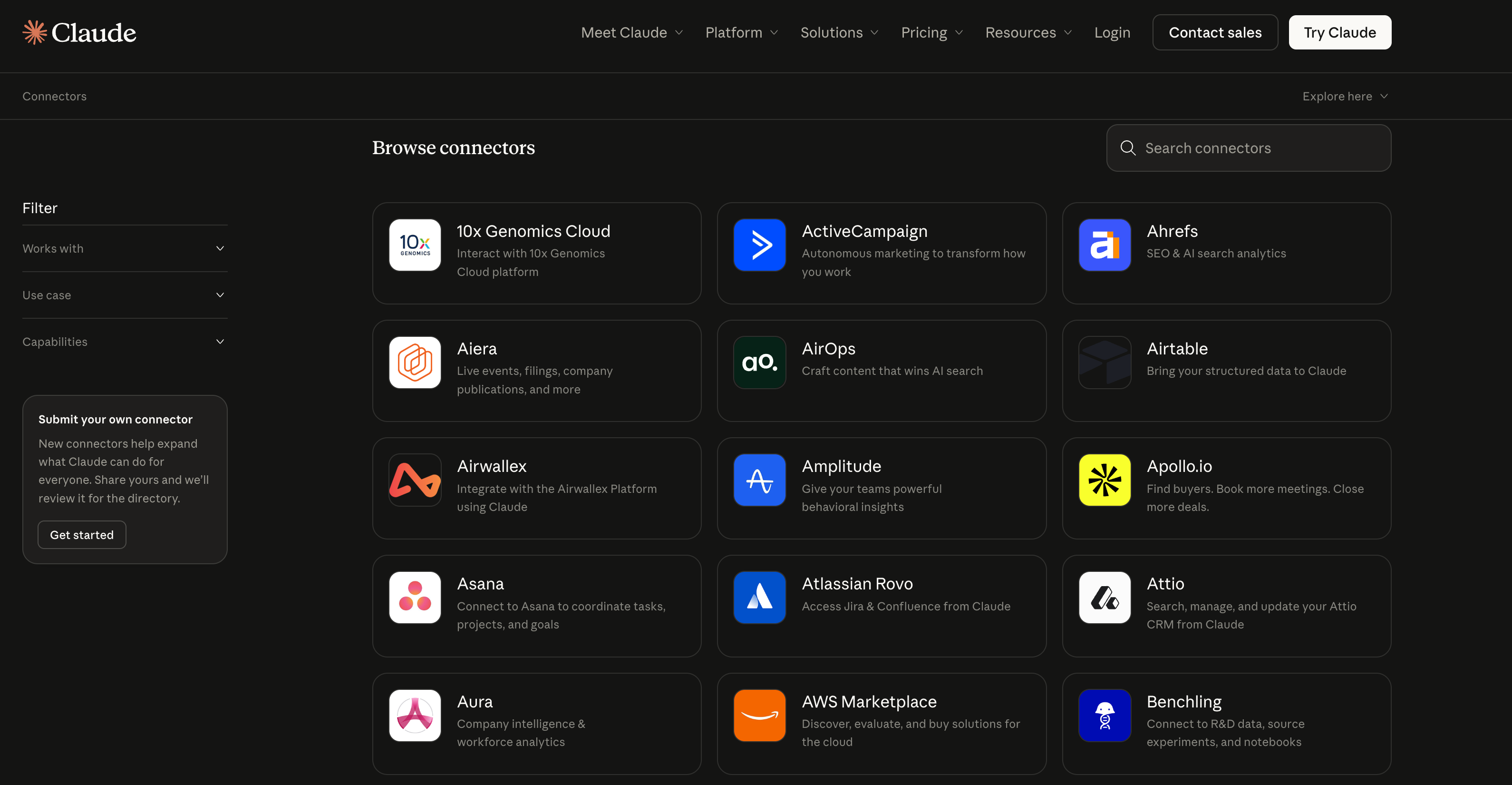
→ Connectors. Live integrations with Slack, Google Drive, Gmail, Notion, Asana, Linear, Jira, HubSpot, Figma, Snowflake, FactSet, and 50+ other tools via the Model Context Protocol. Once connected, Claude pulls live data from these services mid-task. No copy-pasting. No screenshots. No downloads.
→ Instructions. Standing directives that load automatically at the start of every session. Global instructions apply everywhere. Folder-specific instructions activate per project. With these set properly, Claude starts every session already knowing your name, your role, your communication preferences, and your working style.
The Framework That Changes Everything
Even with all of that capability, most people are getting assistant-intern output. The gap between mediocre and COO-quality results comes down to how you structure the delegation.
Here’s what consistently moves the needle, drawn from Anthropic’s own documentation and months of real-world testing.
1. Delegate Outcomes, Not Steps
This is the single most important shift. Stop telling Cowork what to do step by step. Describe what the finished work looks like.
ChatGPT trained you to write increasingly detailed prompts. Cowork trains you to give increasingly clear outcomes. One is a skill that depreciates as models improve. The other compounds.
❌ Less effective: “Help me make a content calendar for March.”
✅ More effective: “I need a complete 30-day content pipeline. Read every file in this folder. Extract my brand voice patterns and top-performing formats. Generate 30 content ideas ranked by estimated audience value. Write full drafts for the top 5. Build a publishing calendar in Excel with dates, platforms, and repurposing plans. Save everything as finished files.”
The second version tells Cowork what done looks like. That specificity is what produces something close to finished rather than something that needs significant rework.
2. Build Your Context Files (This Is the Highest-Leverage Setup Step)
The quality of Cowork’s output is directly proportional to the quality of context you provide in files. Not prompts. Files.
Create a dedicated folder and build three markdown documents:
about-me.md - Who you are, what you do, your role and responsibilities, what success looks like in your work, your industry context, key tools in your workflow, and one or two examples of output you’re proud of. Example:
# About Me

## Role & Responsibilities
- [Your name, title, company]
- [What you do day-to-day]
- [Key stakeholders you work with]
- [What success looks like in your role]

## Domain Context
- [Industry/sector specifics]
- [Key terminology or frameworks you use]
- [Tools and platforms in your workflow]

## Example Work
[Paste 1-2 examples of output you're proud of — reports, emails, analyses.
This gives Claude a concrete reference for quality and style.]
brand-voice.md - How you communicate. Your tone, phrases you use naturally, phrases that sound wrong to you, and two to three short writing samples. Actual examples of your writing are more useful than abstract descriptions of your style. Example:
# Communication Style

## Tone
- [e.g., Direct and concise. No filler. Technical when warranted.]
- [Phrases you use naturally]
- [Phrases that sound wrong to you]

## Writing Samples
[Paste 2-3 short examples of your actual writing — emails, posts, docs.
These are more useful than abstract descriptions of your style.]

## Anti-patterns
- [e.g., Never use "leverage" as a verb]
- [e.g., Don't open with "I hope this email finds you well"]
working-preferences.md - How you want Claude to behave. Do you want questions before execution? Short or long outputs? Which file formats? What should Claude never do without asking? What naming conventions do you use? Example:
# How I Want Claude to Work

## Process
- Always ask clarifying questions before starting non-trivial tasks
- Show me your plan before executing
- Save outputs as [.docx / .xlsx / .md — your preference]

## Output Style
- [Short vs. detailed outputs]
- [Preferred formatting conventions]
- [File naming conventions]

## Guardrails
- Never delete files without explicit confirmation
- Never modify files outside the designated output folder
- Flag assumptions explicitly before acting on them
These files compound over time. Every week you refine them, Claude gets better at your specific work. After a month, the difference between output with context files and output without them is unrecognizable.
3. Use XML Tags for Complex Delegations
Claude was specifically trained to recognize XML tags as structural markers. For any multi-component task, tags prevent Claude from mixing up what’s background context, what’s the actual task, and what the guardrails are.
<context>
You are helping me prepare for a board meeting next Tuesday.
Our company is a Series B SaaS startup with $8M ARR.
</context>

<instructions>
Build a board deck with financial summary, product update,
and hiring pipeline. Save as a .pptx file.
</instructions>

<constraints>
- Professional but not stiff tone
- No jargon the non-technical board members won't know
- Every slide must have a "so what" — not just metrics
</constraints>
Tag names are flexible. Use whatever makes sense: <background>, <rules>, <data>, <output_format>. Consistency matters more than naming convention.
4. Front-Load Clarification, Not Correction
Add this to the end of any non-trivial prompt:
DO NOT start working yet. First, ask me clarifying questions so we can define the approach together. Only begin once we’ve aligned.
Cowork has a built-in feature called AskUserQuestion. When it needs more information, it generates a structured form with specific options rather than guessing confidently and getting it wrong. Use this as your default starting point for complex work. You’ll never go back to writing long, carefully engineered prompts from scratch.
5. Batch Related Tasks Into Single Sessions
Instead of three separate sessions - “organize my receipts,” then “create expense report,” then “summarize for my accountant” - do this in one prompt::
I have receipt screenshots in /receipts. First, organize them by month into subfolders. Then create an expense spreadsheet with all the data, including category totals and formulas. Finally, create a one-page summary for my accountant showing totals by category. Put all outputs in /outputs.One session. Three tasks. Less usage. Better results.
Cowork consumes more of your usage allocation than regular chat because it’s running multi-step agent workflows. Batching is how you stay efficient.
6. Set Safety Defaults Before Your First Real Task
Cowork has real read/write/delete access to your files. Anthropic’s safety documentation is explicit about the risks. Add these to your global instructions and never remove them:
- Never delete any files without my explicit confirmation
- Never modify files outside the designated output folder
- Show me your plan before executing any multi-step task
- If you're unsure about any instruction, ask rather than assume
- Flag all assumptions explicitly before acting on them
Back up anything in the folders you plan to share. Use a dedicated workspace folder, not your Documents directory. And never run Cowork on regulated workloads - activity is not captured in audit logs or compliance exports.
Install These Three Plugins First
Of the 21 available plugins, three deliver immediate, role-agnostic value. Install them before you run your first real task.
→ Productivity - Task management, calendars, daily workflows, and personal context. Connects to Slack, Notion, Asana, Linear, Jira, Monday, ClickUp, and Microsoft 365. Start every day with /productivity:start and Claude reviews your priorities, organizes your task list, and sets up your day. After a week of use paired with good context files, it feels like a chief of staff who knows your schedule and your working style.
→ Data Analysis - The single most impressive plugin in the library. Drop a CSV into your folder, type /data:explore, and Claude reads the full dataset, summarizes every column, flags anomalies, and suggests analyses before you’ve told it what you’re looking for. Connects to Snowflake, Databricks, BigQuery, Hex, Amplitude, and Jira. One user ran 45,000 rows of quarterly revenue data through it and within eight minutes Claude identified a pricing anomaly costing $14,000 per month that their data team had missed for two quarters.
→ Sales (or swap for Marketing, Legal, or Finance based on your role) - Install the plugin that matches your primary function. Each one loads domain-specific methodology, structured workflows, and connector integrations that make Claude’s output noticeably more informed and opinionated than a generic prompt.
Then customize. Click “Customize” on any installed plugin, and Claude walks you through adjusting the skills, commands, and connectors to match your specific workflow.
The default plugins are starting points. The real value comes from adding your company’s context, terminology, and processes.
Where Cowork Falls Short (The Honest Version)
Cowork is still a research preview. Knowing the limitations protects you from wasting time on tasks that aren’t ready yet.
No cross-session memory. Every new Cowork session starts completely fresh. No knowledge of who you are, what you discussed yesterday, nothing. The workaround - context files and global instructions - works well, but you will feel this gap on long-running projects. Document important decisions in files Claude can read next time.
Tasks die if you close the app. Cowork runs as an active session inside Claude Desktop. Quit the app, and the task stops mid-execution with no recovery. Sleep mode is fine. Quitting is not.
Usage burns fast. Complex Cowork tasks consume far more of your monthly allocation than standard chat. Multi-step tasks with file reading, document creation, and parallel sub-agents use significantly more compute. If you’re on Pro and doing heavy daily use, watch your usage in Settings. Max plans ($100 to $200 per month) exist for a reason.
Desktop only. No mobile. No browser version. No syncing between devices. If you work across machines, put your workspace in a cloud-synced folder so at least your files stay consistent.
Browser automation is inconsistent. The Claude in Chrome extension works well for trusted sites and structured data extraction. It struggles with complex multi-step browser workflows, pages that load dynamically, and sites that block automation. If Claude gets stuck, tell it to skip that step.
Still a research preview. Anthropic is explicit that agent safety is under active development. Treat it accordingly. Enable deletion protection. Review plans before execution. Don’t run it on files you can’t afford to have modified without confirmation.
10 Prompts That Turn Cowork Into Your Personal COO
Every prompt below is fully engineered. XML tags for structure. Phased methodology. Explicit constraints. Defined output formats. Anti-patterns blocked. Each one is designed to hand Cowork a complete job and walk away.
Before running any of these: point Cowork at the right folder. Every prompt assumes Cowork has access to a folder with relevant files. The more useful context you have in that folder - past documents, brand guidelines, data exports, notes, context files - the better the output.
To make Claude even more powerful, I’m also sharing an end-to-end guide on how to productize yourself (or the best startup strategy for 2026), and how I built an AI operating system to run a startup with Claude. It has everything you need to build the one-person unicorn 🦄